Studio Mode is the educator's side of Restvo — the web app where a term is designed once and then runs itself. Your children never see this side. They open Companion Mode and find today waiting for them; everything on that screen was decided here, by you.
You will find Studio Mode at app.restvo.com/studio. Sign in with your educator account — the same account you used to create your family.
What you see when you sign in
Studio Mode opens on your current term: your children down one side, their subjects across the top, and the week taking shape in the middle. Three things deserve your attention on any visit:
- Today across your kids — who has started, who is finished, who is stuck.
- The needs-you queue — lessons a child postponed or flagged for help, and exercises waiting for a score. This is the whole of your daily admin; when it is empty, you are done.
- The gradebook — one per child, per subject, filling itself in as lessons are graded.
Setting up a term
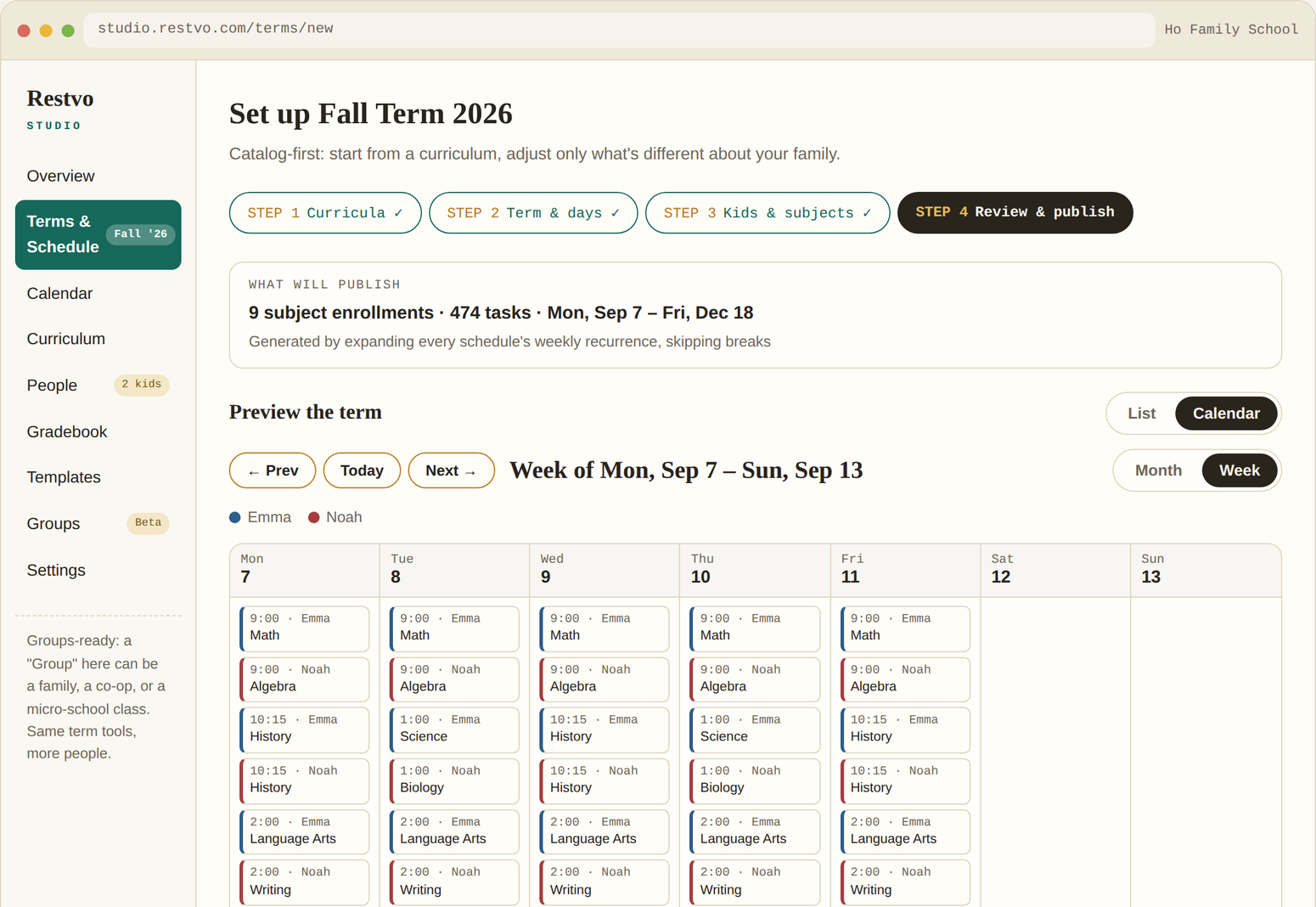
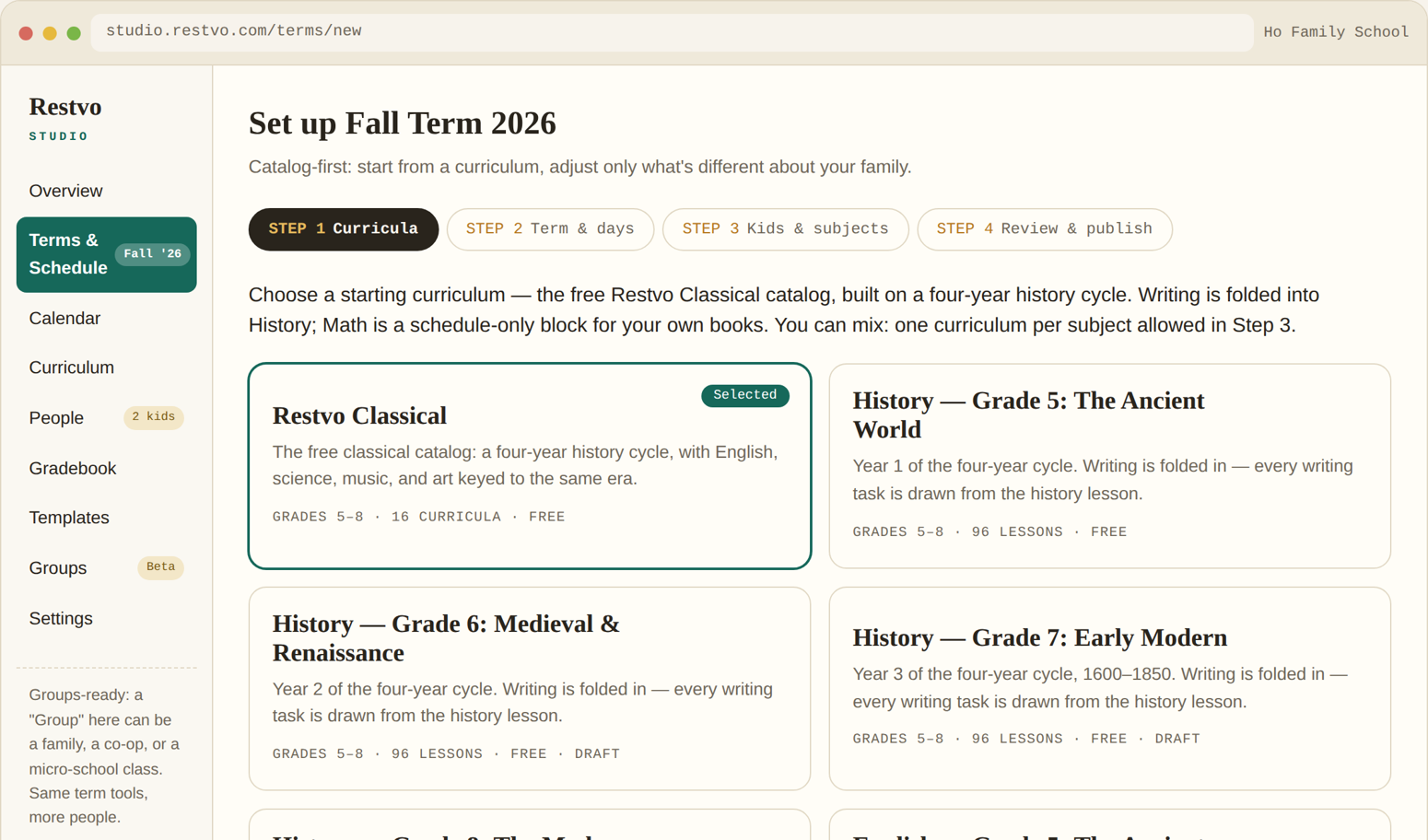
A term is one stretch of school — a semester, a school year, a summer session — with a start date, an end date, and the days your family does school. The setup wizard builds one in three steps: your kids, their subjects and time blocks, then a calendar preview you approve before anything goes live. The full walkthrough is in Setting Up Terms; changes after the fact are covered in Editing Terms.
Kids and their logins
Every child in Studio Mode has a Companion login that you issued: a username and a six-digit access code. Children under 13 need no email address — there is nothing for them to verify and no password for them to forget. Teens may add an email address if you allow it.
- Issue a code when you add a child, and hand it over in person — written on a card works well.
- Lost codes are replaced, not recovered: issue a new one and the old one stops working immediately.
- Locked accounts — five wrong tries lock a login, and the obvious codes (123456 and friends) are banned at issue time. Unlock from the child's page in Studio Mode with one tap.
Subjects and time blocks
Each subject a child takes meets in a block: the days it meets, the time it starts, and how long it runs. Blocks carry sensible classical defaults — Math first thing, Great Books reading on Monday, Wednesday, and Friday mornings, language arts in the afternoon — and every one of them can be moved. Writing is not a separate block: it lives inside History, as a sub-block under the History lesson block, because every writing task is drawn from the history lesson.
Previewing curricula
Before a curriculum joins your term, you can read it — all of it. Open any title in the catalog (the free Restvo Classical shelf, or your own) and page through its units and lessons, including the full lesson bodies your children will work through. What they will read, you read first.
The gradebook
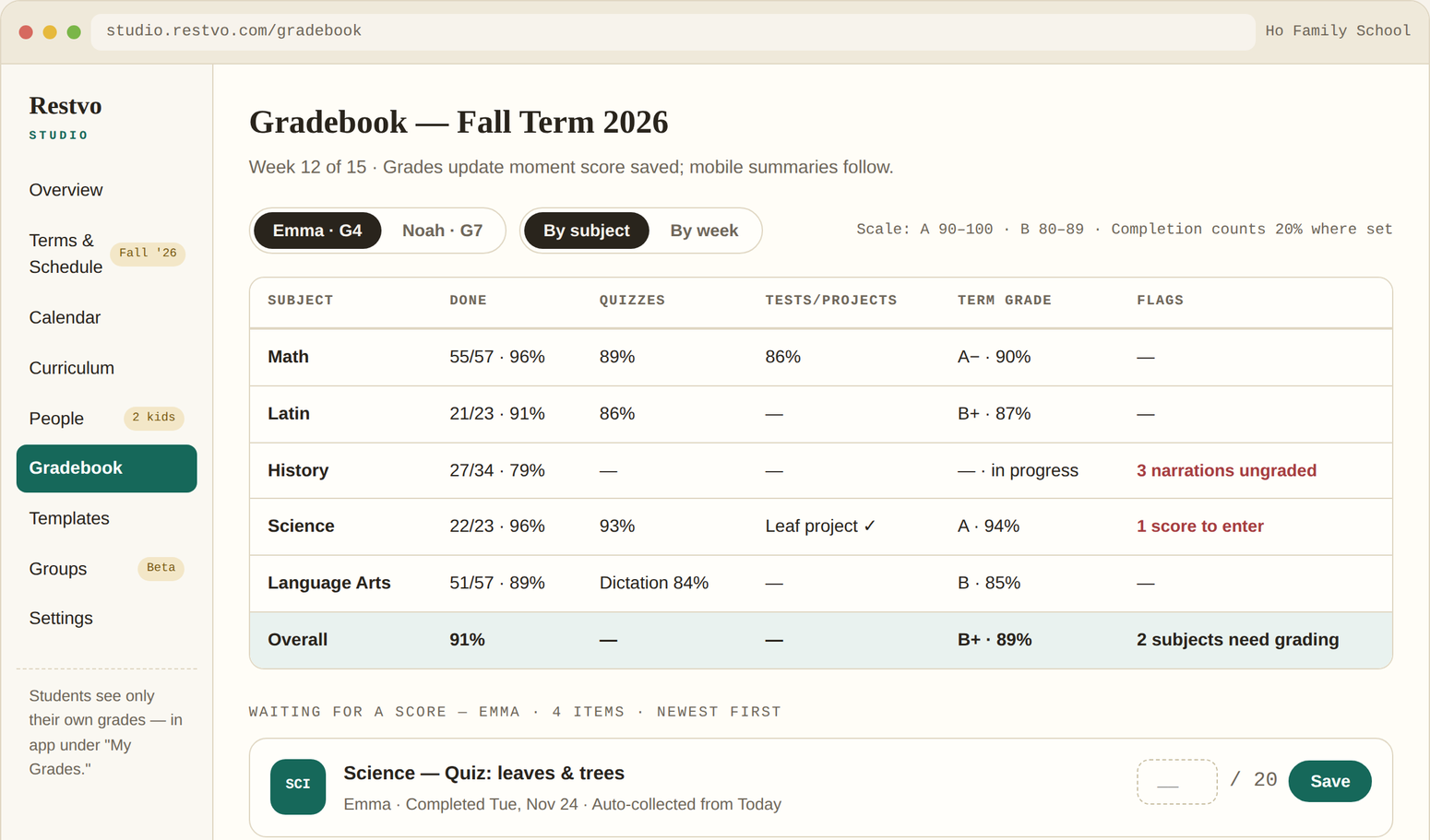
The gradebook keeps one record per child, per subject. Lesson grades are point-based: each exercise in a lesson carries points, and the lesson's grade is the points earned against the points possible. Those lesson grades roll up into the subject record automatically.
- Waiting for a score — when a student answers exercises in the Companion, the answers wait for you here, beside the lesson's standard answer key (visible to you, never to the student). Award the points, write feedback if you have some, and the grade lands in the gradebook.
- Your score wins — a grade you enter by hand always overrides any automatic one.
- Automatic grading — comparing a student's answers against the standard keys automatically is a paid feature. The data is ready for it from the first lesson; the automation is the part that is tiered.
Groups
In Restvo, your family is a group — and groups can grow. From Studio Mode you can create a group for a micro-school or co-op, invite other families, and design a shared term: one calendar, the same curricula, educator roles for the adults who teach, and a private Today list and gradebook for every child. See Micro-schools and Co-ops for how it works.
Rule of thumb: if it changes the shape of the term — subjects, times, kids, curricula — it happens in Studio Mode. If it is about today, it happens in the Companion.