A term, set up in three steps
The setup wizard is the front door of the Studio. Most families finish it in about ten minutes — and everything it builds can be changed later, mid-term, without starting over. A term can be a full semester, a 12-week term, or a short summer session — you set the dates.
1 · Your kids
Add each child once. Studio Mode creates their Companion Mode login on the spot — a username and an access code you hand over in person. No email addresses for children under 13; teens may add one if you allow it.
2 · Subjects & blocks
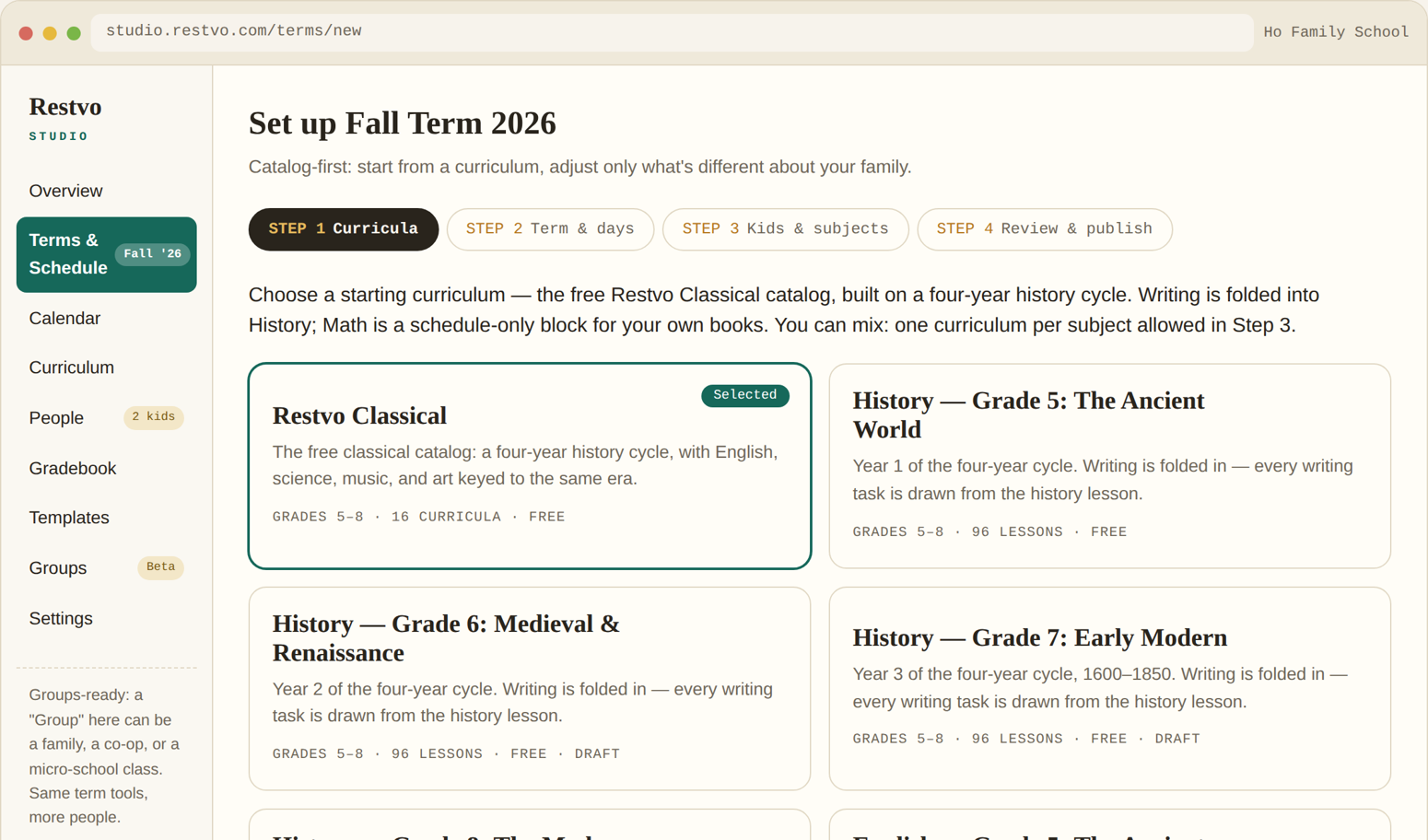
Pick each child’s subjects — the free Restvo Classical catalog, your own curricula, a Math block for the books you already own — and place them in the week: which days, what time, how long.
3 · Preview & go
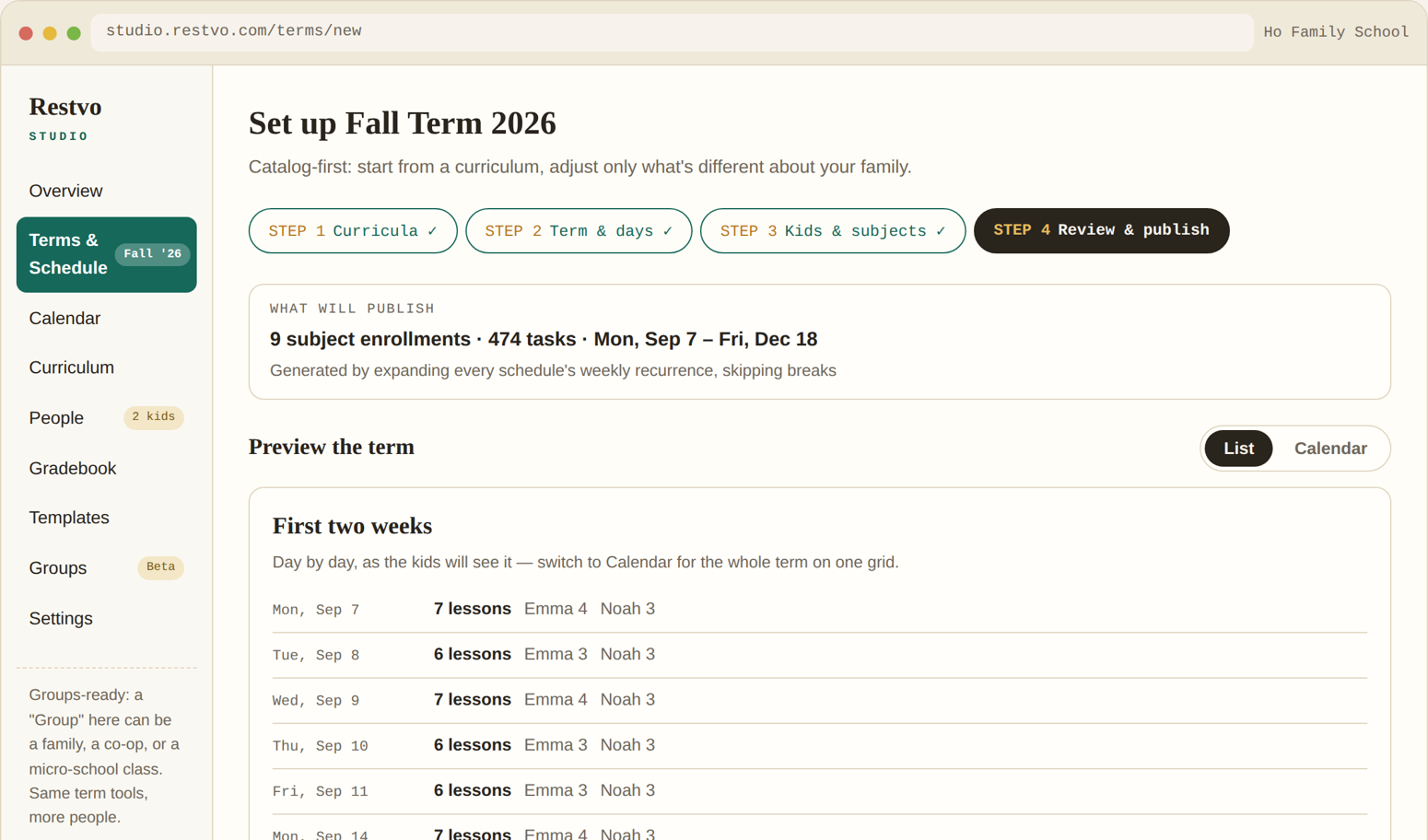
See the whole term on a calendar before it starts. Drag a block, shorten a lesson, add a break week — then publish. Lessons land on every child’s Today list from the first day of term.
Subjects & Time Blocks
A week with a shape to it.
Subjects meet in blocks, and the blocks have sensible classical defaults: Great Books reading in the morning, Monday, Wednesday, and Friday at 10:30; language arts in the afternoon at 2:30 — though an ELA block may sit in a morning slot when your family runs that way; Math first, 9:00 to 10:30, while heads are fresh.
Editing a term is re-timing, not re-planning. Change a block’s time and its lessons move in place — nothing is deleted, nothing is rebuilt, and the changes you made by hand (a lesson moved for a field trip, a day swapped) survive the edit.
Tutorial: editing terms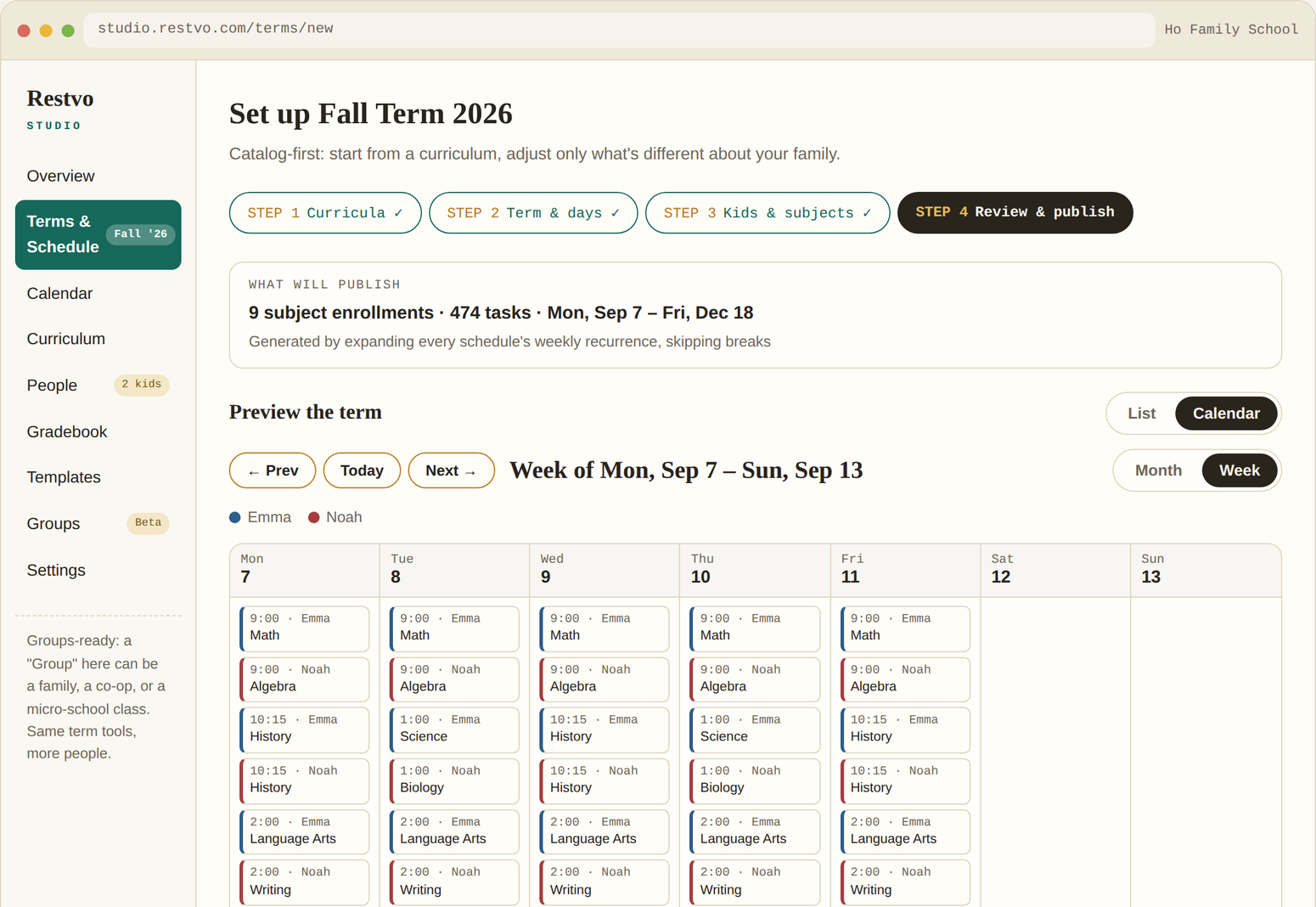
Kid Logins
Logins you hand to your kids yourself.
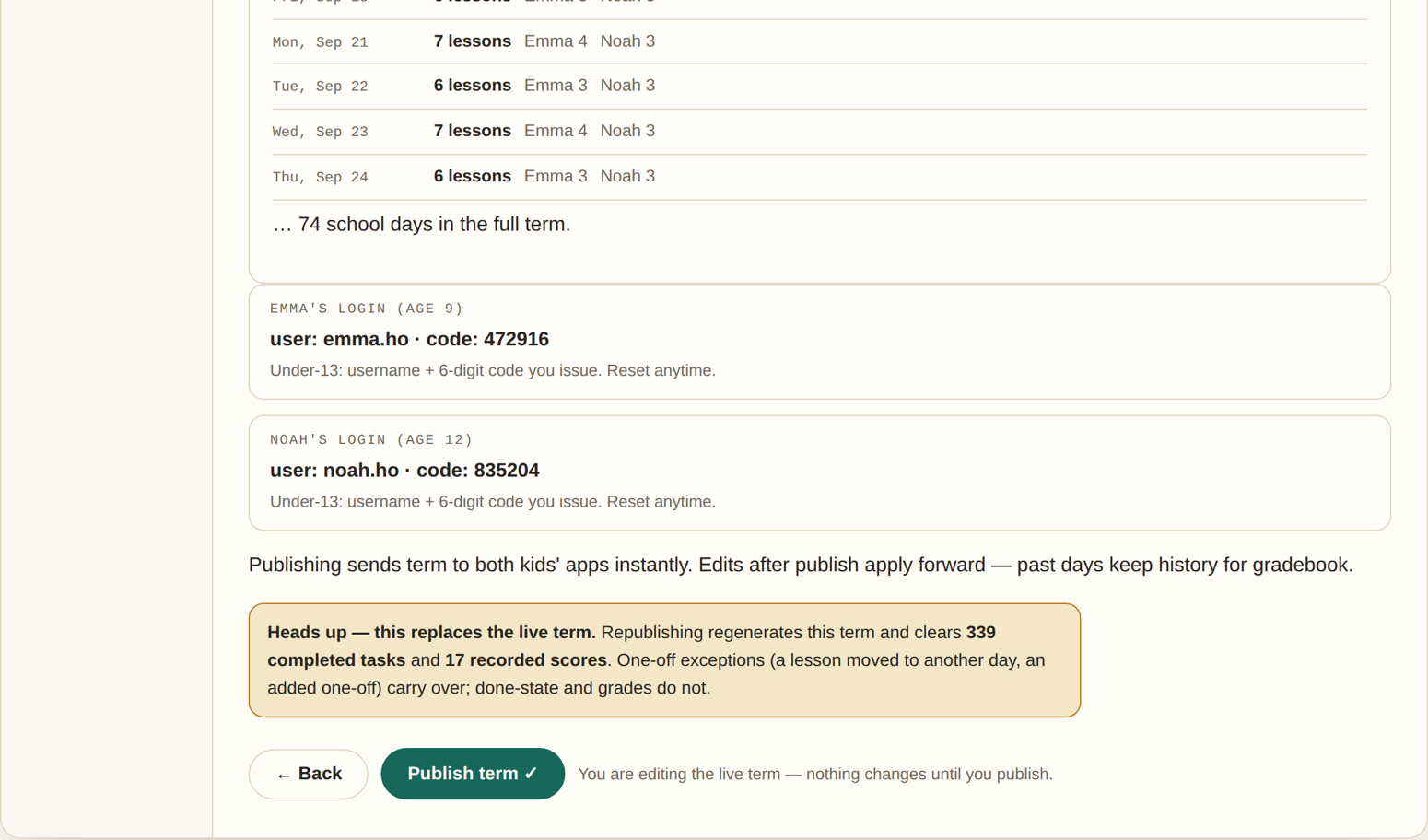
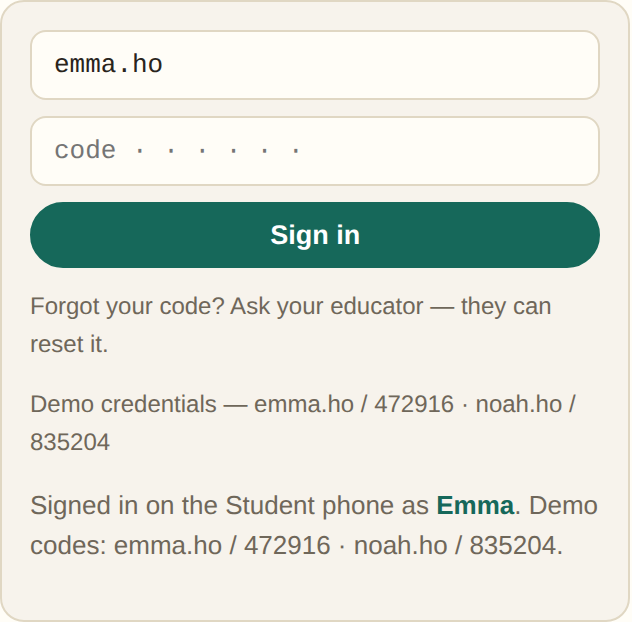
Children sign in to the Companion with a username and a six-digit access code that you issue from Studio Mode — written on a card, stuck on the fridge, theirs. There is no email to verify and no password reset queue for a nine-year-old to get lost in.
How kids use the CompanionA gradebook that fills itself in
Every graded lesson rolls up into the gradebook — one per child, per subject. Lesson grades are point-based: points earned against points possible, with your manual score always winning over any automatic one. Exercises a student has answered wait for you in a “waiting for a score” queue, where you read the answers beside the standard keys, award the points, and leave feedback the student will see. No separate grade book, no end-of-term arithmetic.
Preview & the Editor
Read every lesson before your child does.
Every curriculum in the catalog can be previewed in full — units, lessons, the lesson bodies themselves — before it joins your term. What your child will read, you read first.
And when a lesson needs to fit your family better, the Curriculum Editor lets you adapt it: re-sequence, add your own materials, write your own lessons with the same Teach–exercise–excerpt shape. Your adaptations are private to your family, always.
Tutorial: using the editor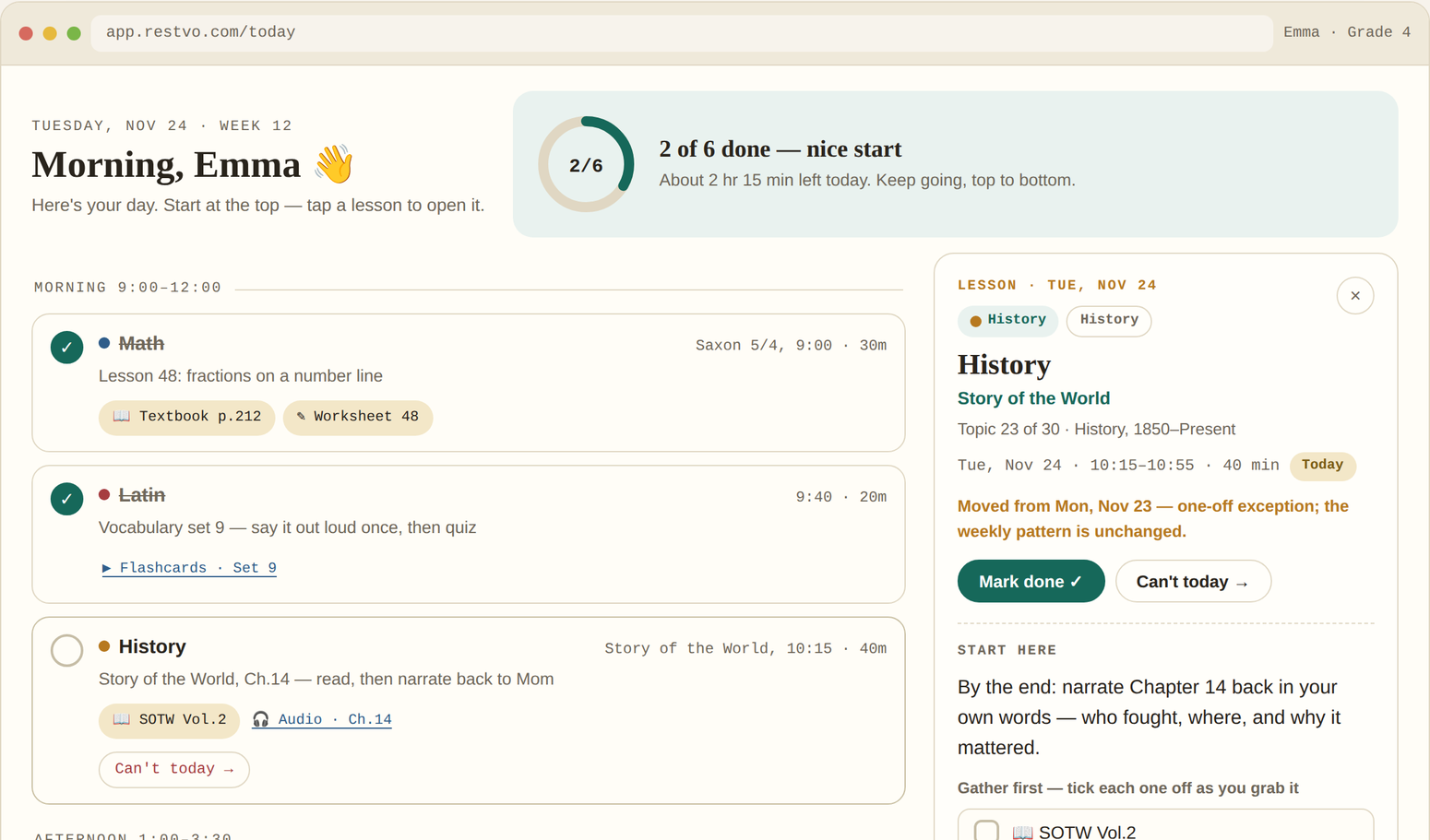
Your planning desk is open
Open Studio Mode, run the setup wizard, and your term is planned — today, in about ten minutes.
Open the Studio